Four steps take a delegate from a name on a list to a meeting you can prove happened. Here is each one — and how far along it is today.
Step 1 · OnboardShipped
Sign in, and you're match-ready in under a minute.
A delegate signs in with LinkedIn and public enrichment pre-fills most of the profile. Three to five questions that actually move a match — what they're seeking, what they offer — finish it. No long form, no blank profile to stare at.
LinkedIn sign-in plus public enrichment
3–5 questions that change a match, nothing that doesn't
A confirmed, match-ready profile in under a minute
An agent onboards a delegate from one identity handle — enrichment fills the match inputs, so there is no form to script.
Step 2 · MatchLive
The five people in the room worth meeting.
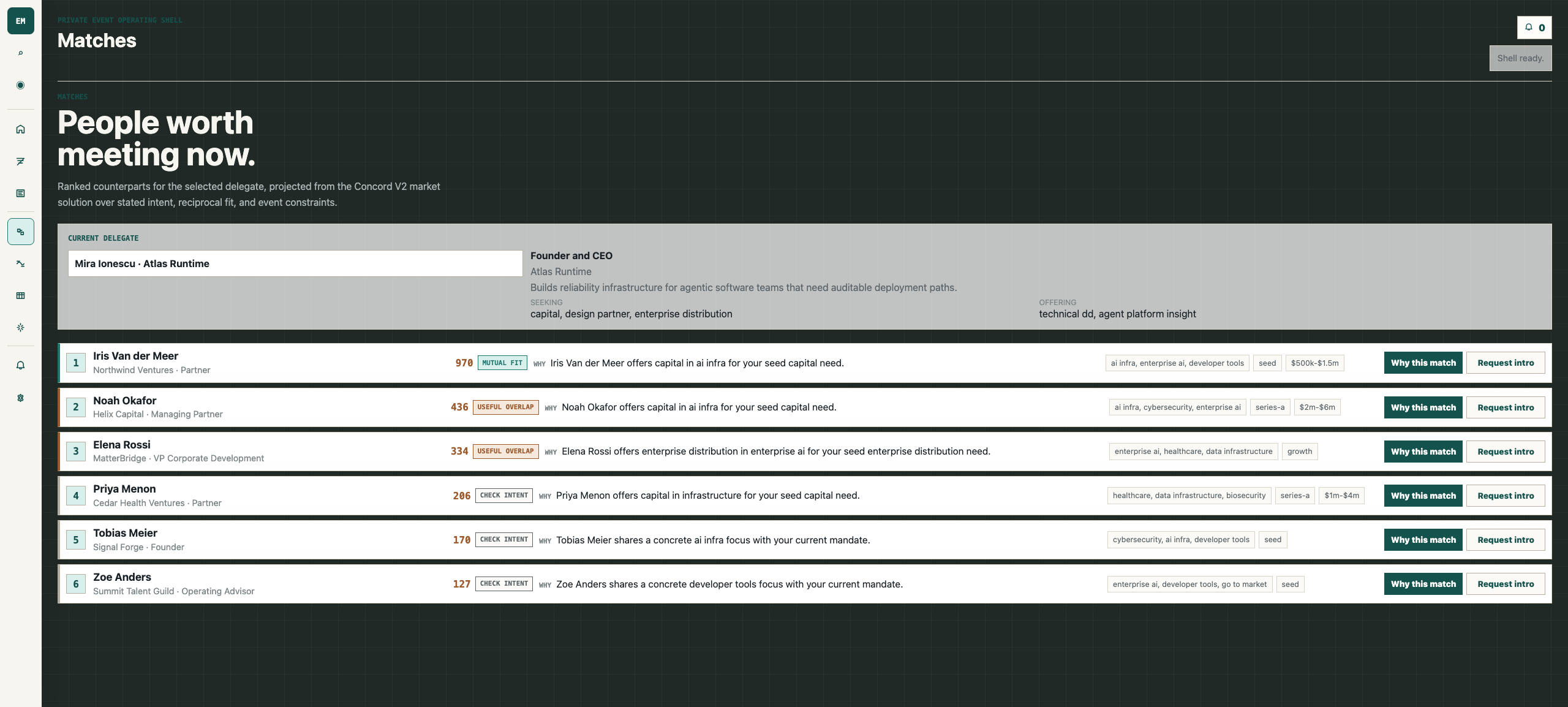
The engine projects the whole room over stated intent and reciprocal fit, then ranks the counterparts who move each delegate's goal forward — with one plain-language reason on every match, not a directory to sift.
Ranked by seeking ↔ offering complement
One-line reason a delegate believes
Every match is tracked, with the reason on the record
Ranking is deterministic and pure — same inputs, same order — so an agent can cache, diff, and explain a match without a second model call.
event-app-landing.pages.dev
Matches · ranked counterparts with reasons
Step 3 · IntroduceShipped
From “worth meeting” to “we met.”
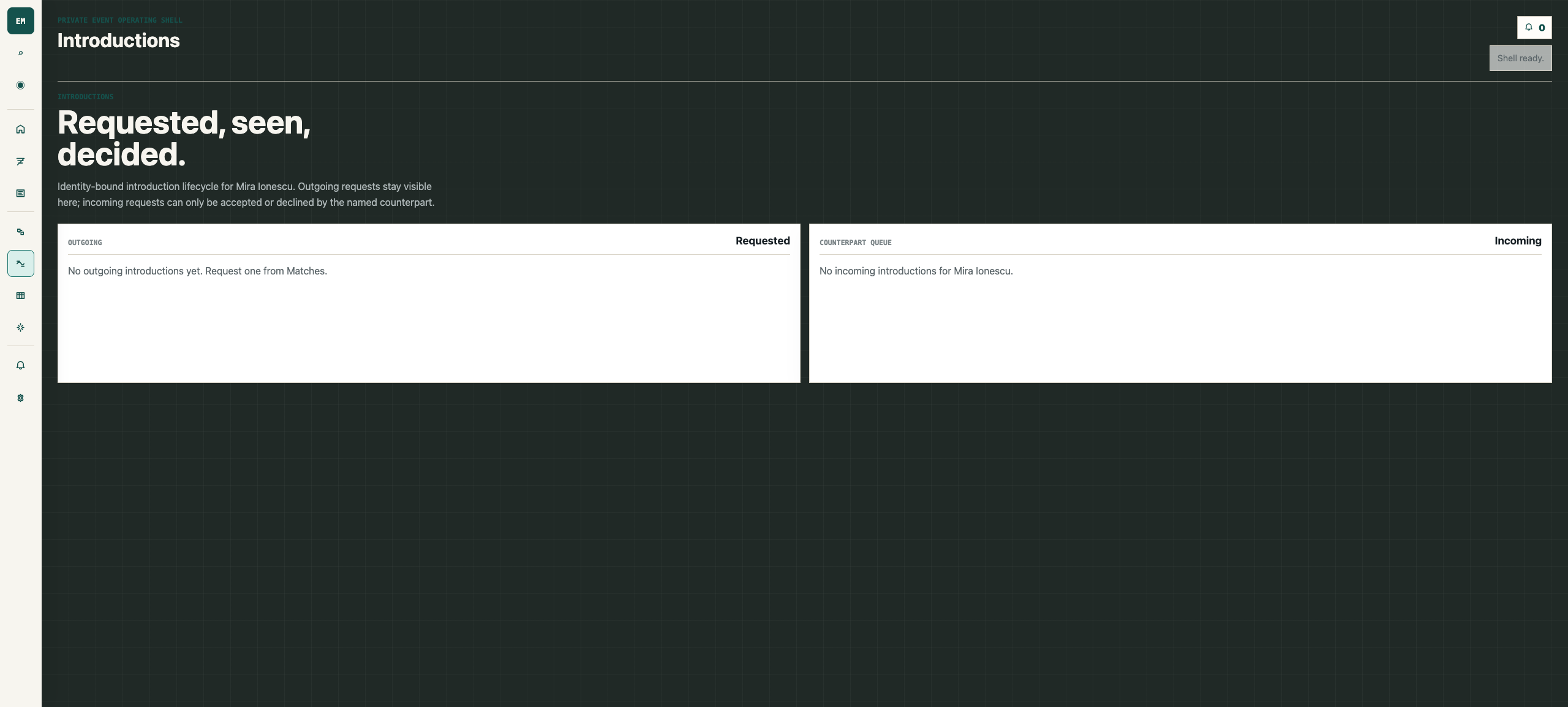
A match only matters if the meeting happens. Consented, double-opt-in introductions are tracked from requested to met — nobody gets spammed, and every accepted intro becomes part of the record.
Double-opt-in — both sides say yes
Tracked from requested to we met
Identity-bound: only the named counterpart can accept
event-app-landing.pages.dev
Introductions · consented, tracked to met
Step 4 · ProveIn progress
Show a sponsor the meetings you delivered.
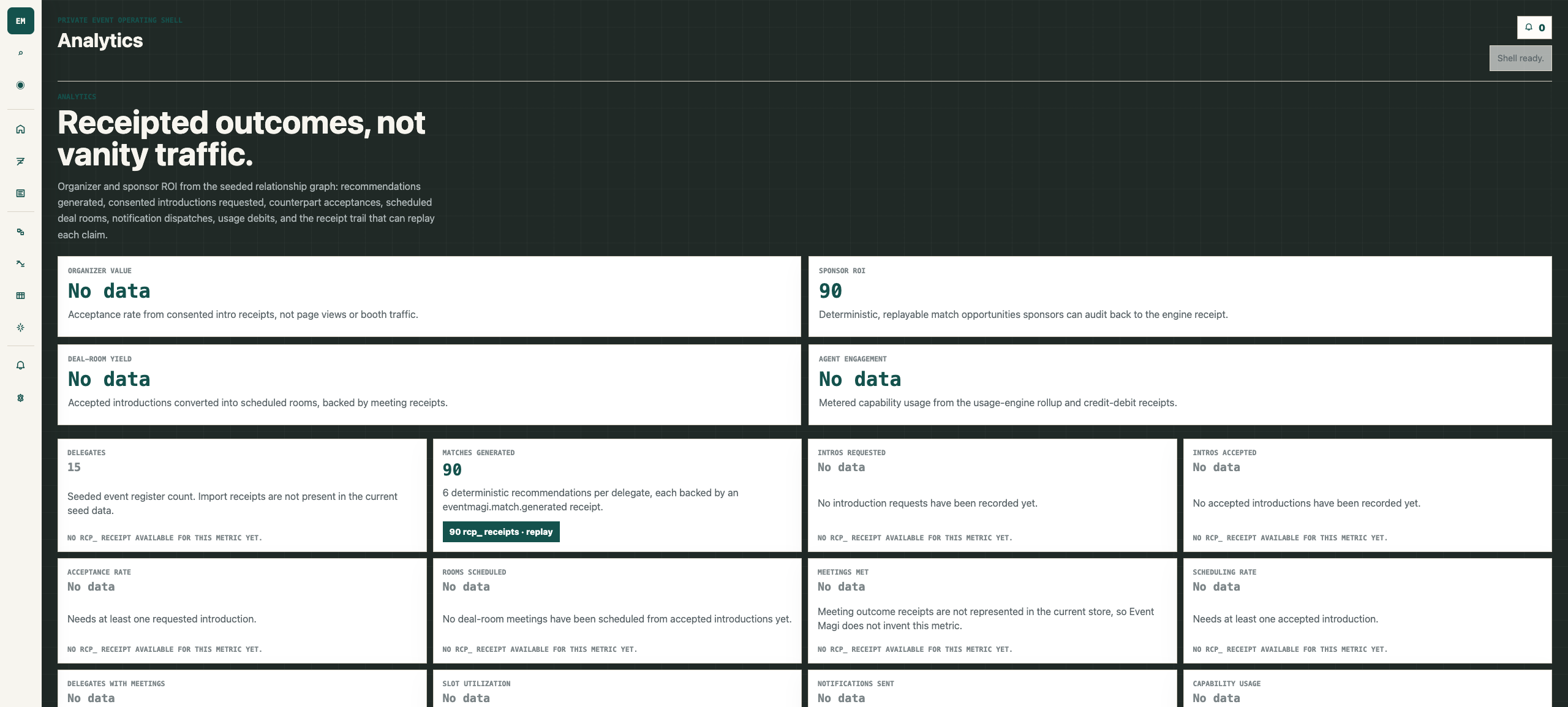
Relationship movement, introductions requested, introductions that converted — the record turns a two-day event into something you can put in front of a board or a sponsor. Meetings that happened, not booth scans.
Introductions requested vs. converted
Movement against the accounts a sponsor cares about
A record that outlives the event
Every outcome is machine-checkable, so an evaluating agent can verify what happened instead of trusting a dashboard.
event-app-landing.pages.dev
Analytics · outcomes you can show a sponsor
Under the hood
The engines and components every stage above runs on.
For technical evaluators and agents: the reusable engines, shared interface kit, and platform behind the journey — each standalone, each usable by any app, with an honest status on what's running in production versus rolling out next.
4reusable engines
7interface components
7product modules
1live deployment
Reusable engines
Standalone engines Event composes — each usable by any other app.
4
Built & testedengine
Matching engine
Ranks each delegate's counterparts by complementarity and mutual fit — who needs what someone else offers.
Deterministic, pure ranking — same inputs return the same result, with an rcp_ receipt per match.
Built & testedengine
Enrichment engine
Turns a sparse identity into a match-ready profile from public web and company data.
Pre-fills the match inputs so an agent onboards a delegate with one identity handle, not a form.
Built & testedengine
Agent-surface generator
Auto-generates the API, CLI, and MCP surface for an engine from one definition.
This is why every app is agent-native by construction: the MCP/OpenAPI/CLI are generated, not hand-written.
Built & testedplatform
Integrations platform
Four connectors (email, Eventbrite, LinkedIn, Stripe) with OAuth2, webhooks, vaulted secrets, and SSRF guards.
Outbound integrations run through a guarded boundary (vault + SSRF protection), so agent-initiated actions stay inside policy.
Shared interface components
The shared interface kit every app wears — the same shell, themed per vertical.
7
Built & testedcomponent
Rail
The icon rail and primary navigation that gives every app one identity.
Built & testedcomponent
Voice
Voice-input affordance with a recording pulse and reduced-motion fallback.
Built & testedcomponent
Search
Command-palette search over sections and entities (⌘K).
Built & testedcomponent
Chat
Streaming concierge chat surface with typed message lifecycle.
Built & testedcomponent
Table
Dense, accessible data table for delegates, matches, and introductions.